Taking a Byte out of ASP.NET Core 2.0: Development Mode Error on Azure
Greetings my Geeks – we have a lot of awesome ASP.NET Core 2.0 news coming out lately… As always, sharing is caring – so here you go. Today – after publishing to Azure – ran the default “Register” user page…
 Greetings my Geeks – we have a lot of awesome ASP.NET Core 2.0 news coming out lately…
As always, sharing is caring – so here you go.
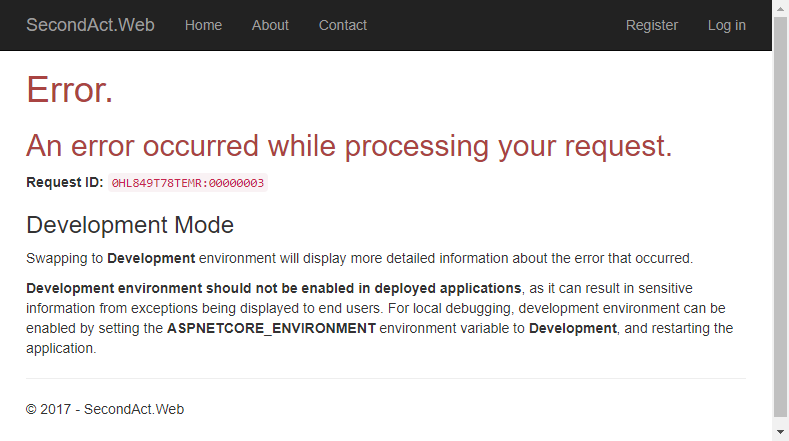
Today – after publishing to Azure – ran the default “Register” user page – and got the error message…
Swapping to Development environment will display more detailed information about the error that occurred.
Development environment should not be enabled in deployed applications, as it can result in sensitive information from exceptions being displayed to end users. For local debugging, development environment can be enabled by setting the ASPNETCORE_ENVIRONMENT environment variable to Development, and restarting the application.
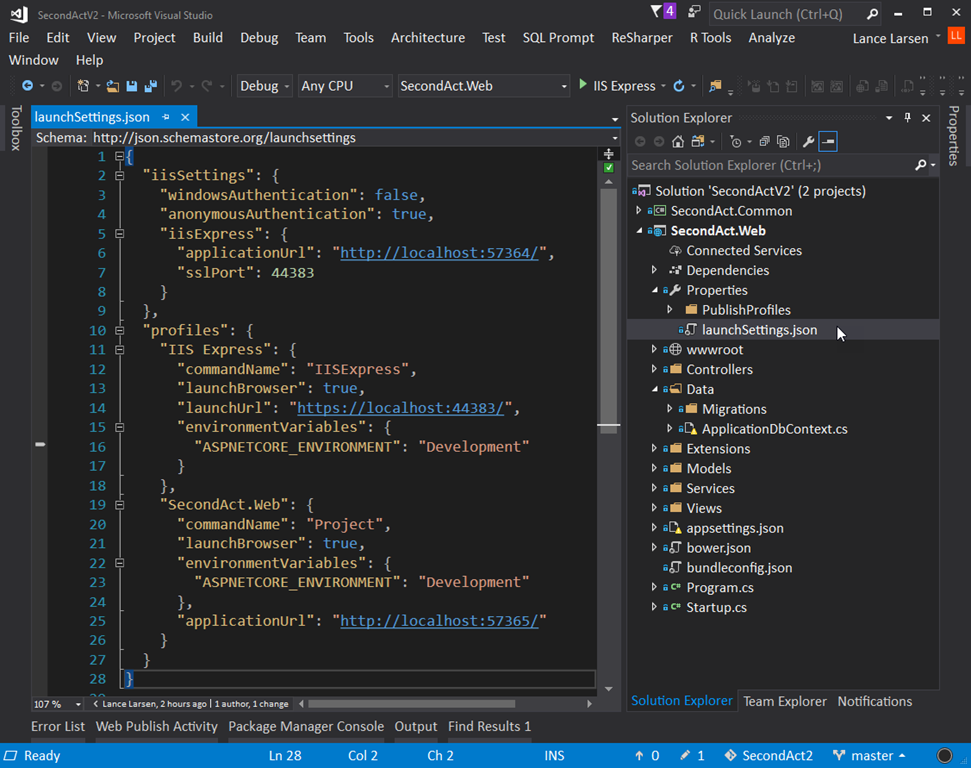 So did a search for “ASPNETCORE_ENVIRONMENT” – and found the only references in my project were already set to “Development”… so that wasn’t it…
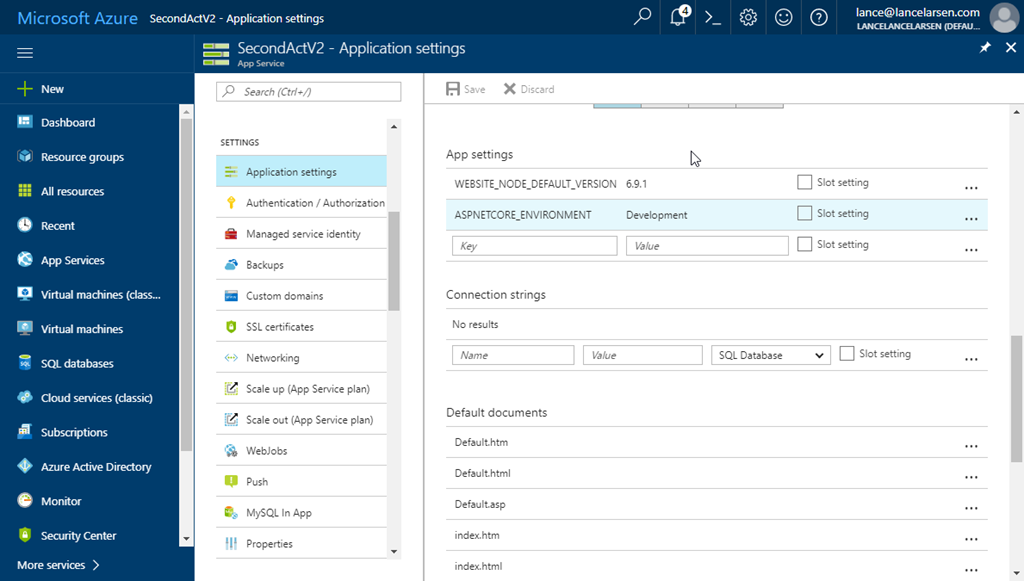
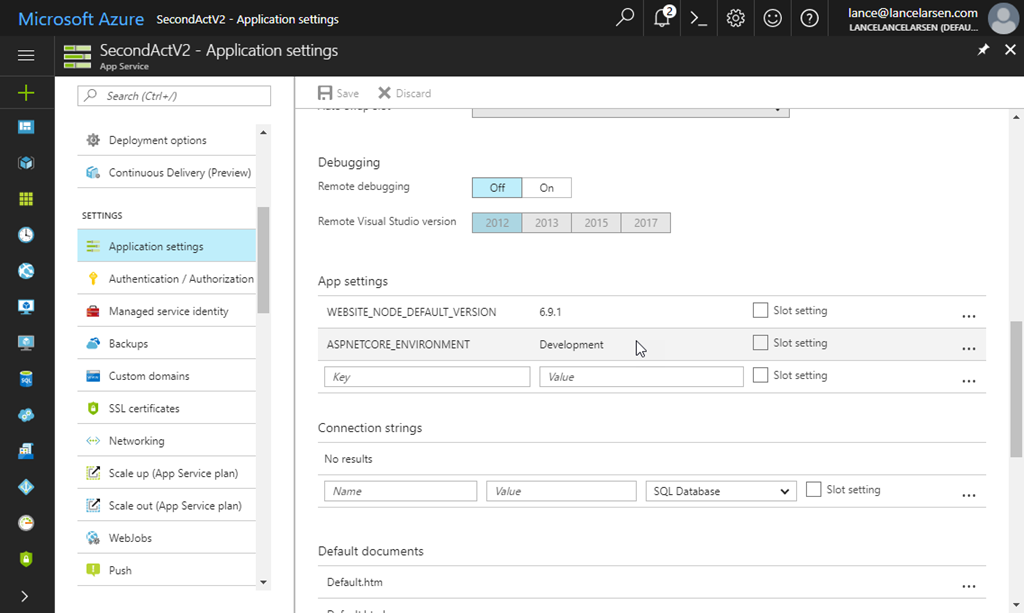 Eventually found a clue that that mentioned Azure App Settings – and yup – that’s where this needs to be set.
So click on your Web App –> Applications Settings –> go down to the “App Settings” section and add the “ASPNETCORE_ENVIRONMENT” and “Development” as displayed in the screen shot.
Now you’ll get the error messages as if you were running it locally – and that should help you resolve your issues.
REMEMBER – before you go to use this in production – revert that change. Don’t want the bad guys to be able to see any error details.
Good coding!
Note: Valid values for “ASPNETCORE_ENVIRONMENT” are “Development”, “Staging” and “Production” – if you have something that’s not one of those, you may get odd behaviors… 🙂