XR Step-by-Step: Low Latency Hololens Streaming (<1s)
Most of us stream the Mixed Reality Capture view from our Hololens by going to the IP address of our Hololens in a browser. This works great – EXCEPT – there’s a very noticeable 3+ second delay. I always figured that that was just the delay we’d have to live with – but after all these years of working with the Hololens just found out that there IS a better way! And wanted to share with all my XR peeps 🙂
Virtual and Augmented Reality together are now referred to as XR or “Extended-Reality”. You’re in the right place at the right time to build something amazing in XR!
XR applications can be created in Unity for many devices, our focus will be on Microsoft Hololens and the Oculus Quest 2 – in this blog post series we will specifically focus on Hololens 2 in the latest Unity 2021.
Most of us stream the Mixed Reality Capture view from our Hololens by going to the IP address of our Hololens in a browser. This works great – EXCEPT – there’s a very noticeable 3+ second delay. I always figured that that was just the delay we’d have to live with – but after all these years of working with the Hololens just found out that there IS a better way! And wanted to share with all my XR peeps 🙂
Here’s my XR Step-by-Step blog series for the Hololens 2 to help you create your XR experiences!
1) Installing the Tools you need for XR development == Unity 2021
2) Installing the Tools you need for Hololens 2! Unity 2021 + MRTK 2.7 + Visual Studio 2022
3) Setting up your Hololens 2 Project in Unity 2021 + MRTK 2.7 + Visual Studio 2022
4) Low Latency Hololens Streaming (<1s)
Quick Reference summary of all steps, followed by the detailed Step-by-Step with images!
- Install the VLC Media Player http://www.videolan.org/
- (Menu) Media -> Open Network Stream…
- Enter network URL -> https://{YOUR-HOLOLOENS-IP}/api/holographic/stream/live.mp4
- Enter Username / Password – and stream @ <1 second delay!
Full Step-by-Step Instructions!
The “old way” by using the Mixed Reality Capture – Windows Device Portal (~3 second delay)
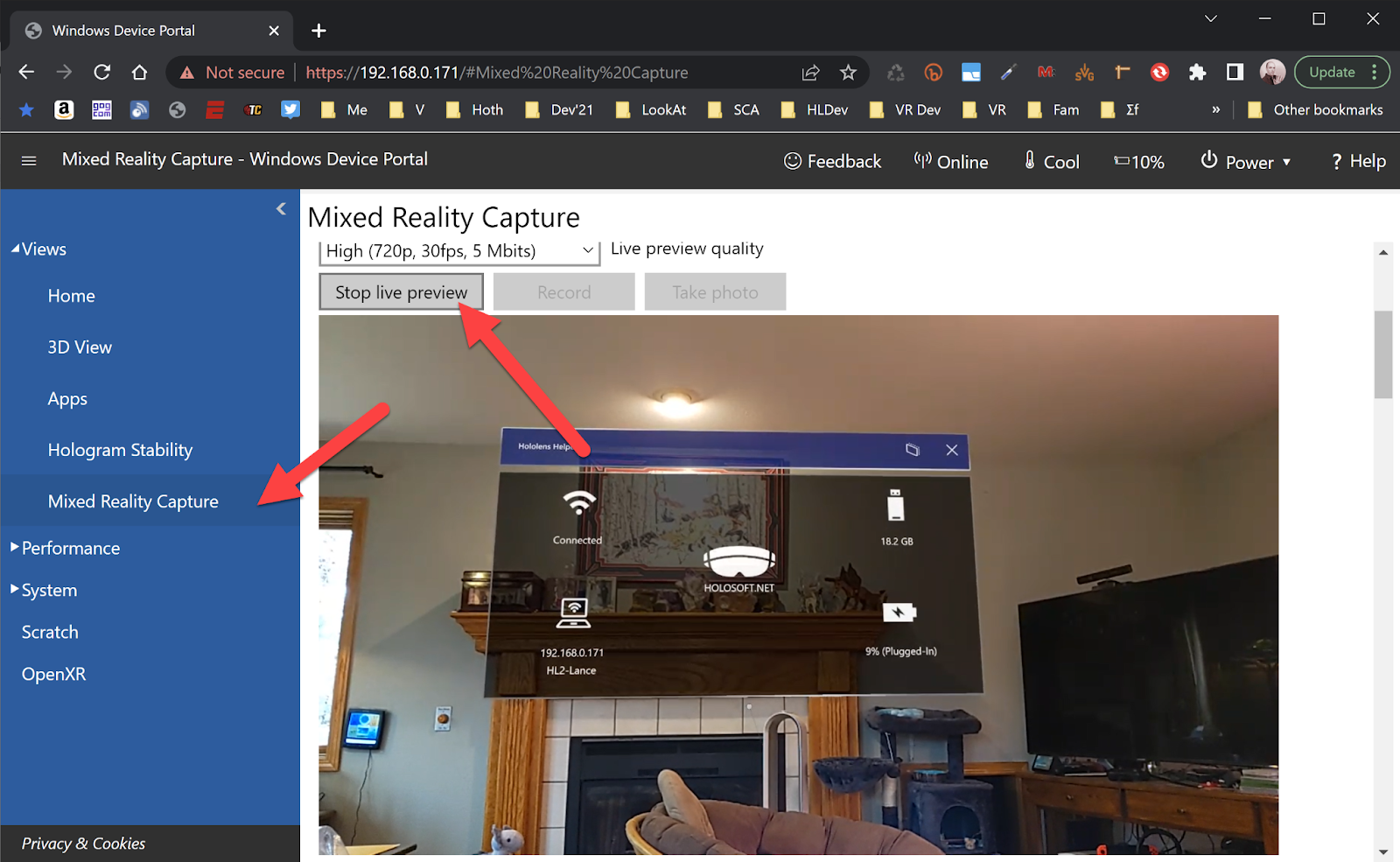
The “new way” using something like VLC Media Player (<1 second delay)

- Install the VLC Media Player http://www.videolan.org/
- (Menu) Media -> Open Network Stream…

Use something on your Hololens (such as the Hololens Helper app from the Windows Store) to get the IP address of your Hololens — https://www.microsoft.com/en-us/p/hololens-helper/9nblggh4vdj5 — wow, I made this back is 2016 and still use it most every day! Hololens Helper is a super simple and easy way to see your IP, your Battery Level and disk space.
- Enter your “network URL” -> https://{YOUR-HOLOLOENS-IP}/api/holographic/stream/live.mp4
For example,https://192.168.0.171/api/holographic/stream/live.mp4
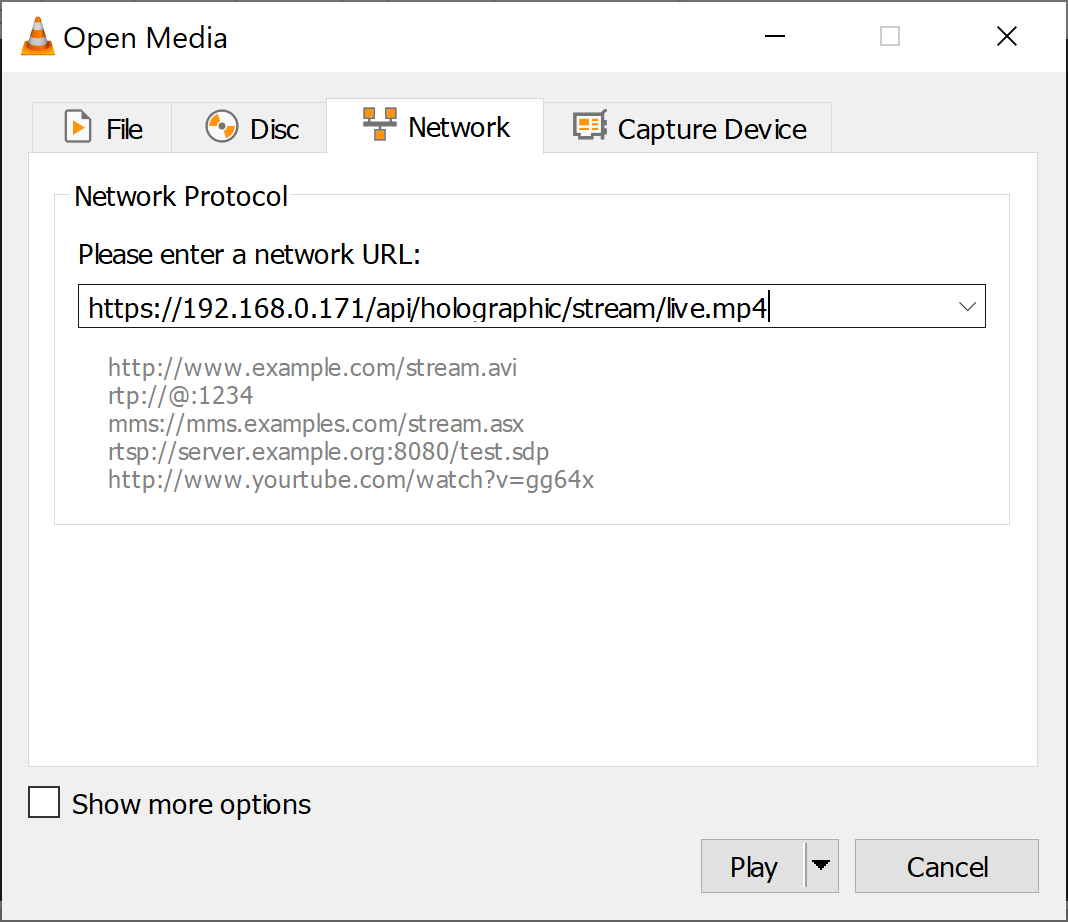
- VLC will ask for your Hololens’ Username / Password – and WOW! That’s it!
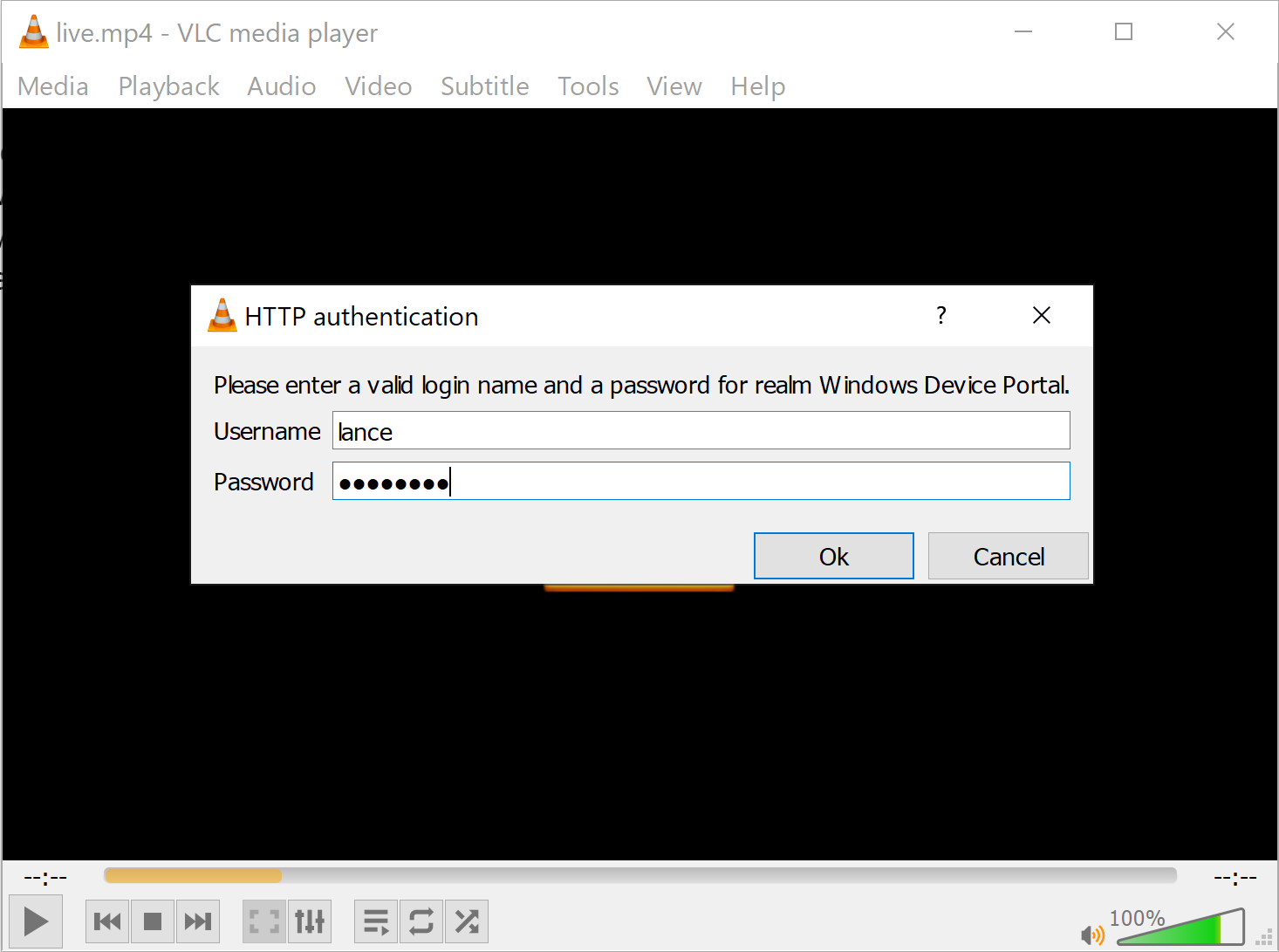
You should now see the stream MUCH faster…
Why? Well it looks like the browser is caching the stream for the ~3 seconds delay and the VLC Media Player is not.
So it wasn’t the stream’s fault all these years…
Always awesome to find something new like that that just makes Hololens Life better!
Bonus Content! For all the Mixed Reality Device portal API commands check out https://docs.microsoft.com/en-us/windows/mixed-reality/develop/advanced-concepts/device-portal-api-reference
Here’s my XR Step-by-Step blog series for the Hololens 2 to help you create your XR experiences!
1) Installing the Tools you need for XR development == Unity 2021
2) Installing the Tools you need for Hololens 2! Unity 2021 + MRTK 2.7 + Visual Studio 2022
3) Setting up your Hololens 2 Project in Unity 2021 + MRTK 2.7 + Visual Studio 2022
4) Low Latency Hololens Streaming (<1s)
Love any feedback and see you in future XR blog posts.
Build something amazing in XR! — Lance
Thanks to yoyo120 on reddit for the inspiration to write this article! Most appreciated!!!