XR Step-by-Step 2023! Meta Quest: Installing the Tools you need for XR! Unity 2022 + Visual Studio 2022
Virtual and Augmented Reality together are now referred to as XR or “Extended-Reality”. You’re in the right place at the right time to build something amazing in XR! XR applications can be created in Unity for many devices, our focus…
Virtual and Augmented Reality together are now referred to as XR or “Extended-Reality”.
You’re in the right place at the right time to build something amazing in XR!
XR applications can be created in Unity for many devices, our focus will be on Microsoft Hololens 2 and the Meta Quest
In this blog post series we will focus on Meta Quest!
Check out other blog articles in this (and other) series!
Quick links to Lance’s latest XR Step-by-Step blog articles by device
Let’s get started with installing our XR development tools!
- Download and install Unity Hub
(https://unity3d.com/get-unity/download)
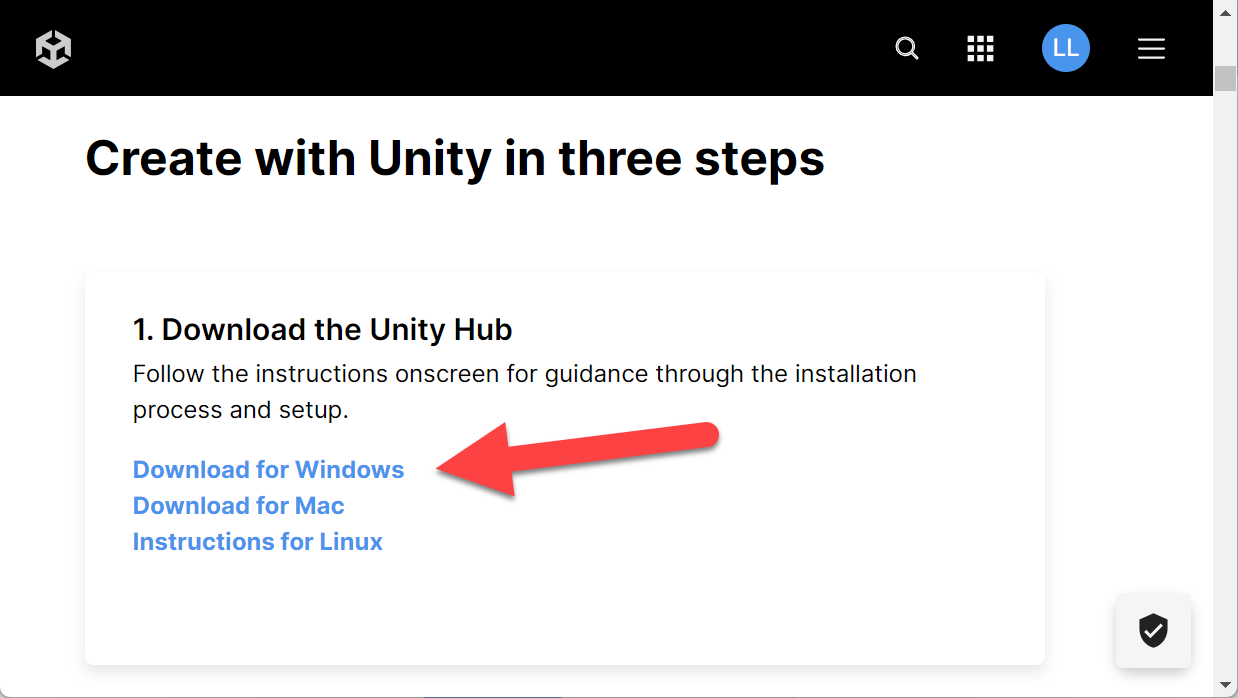
- Unity is constantly releasing new versions of their tools (very exciting to see the investments they’re making in our favorite XR tools) – so Unity Hub is the best way to keep up to date with the newest versions and manage your projects!
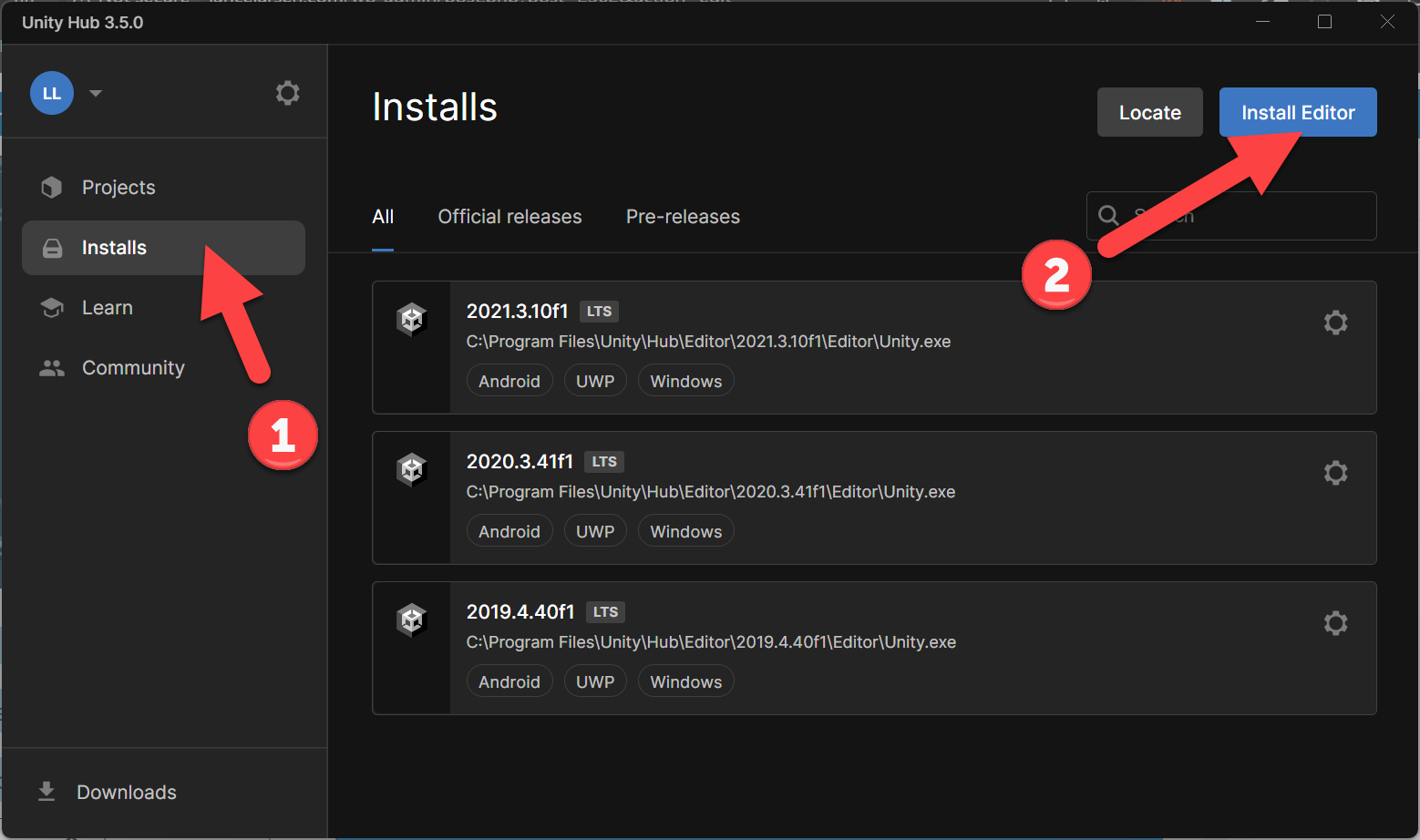
- Click on Installs
- Click on Install Editor
- Here we can see the Unity versions I currently have installed. I keep several versions, generally one from 2019, 2020, 2021, the latest 2022 version!
- Why? Some demo projects only work certain versions – so keeping a LTS (Long Term Support) version of each is helpful. For most people, I’d say just stick to the latest version.
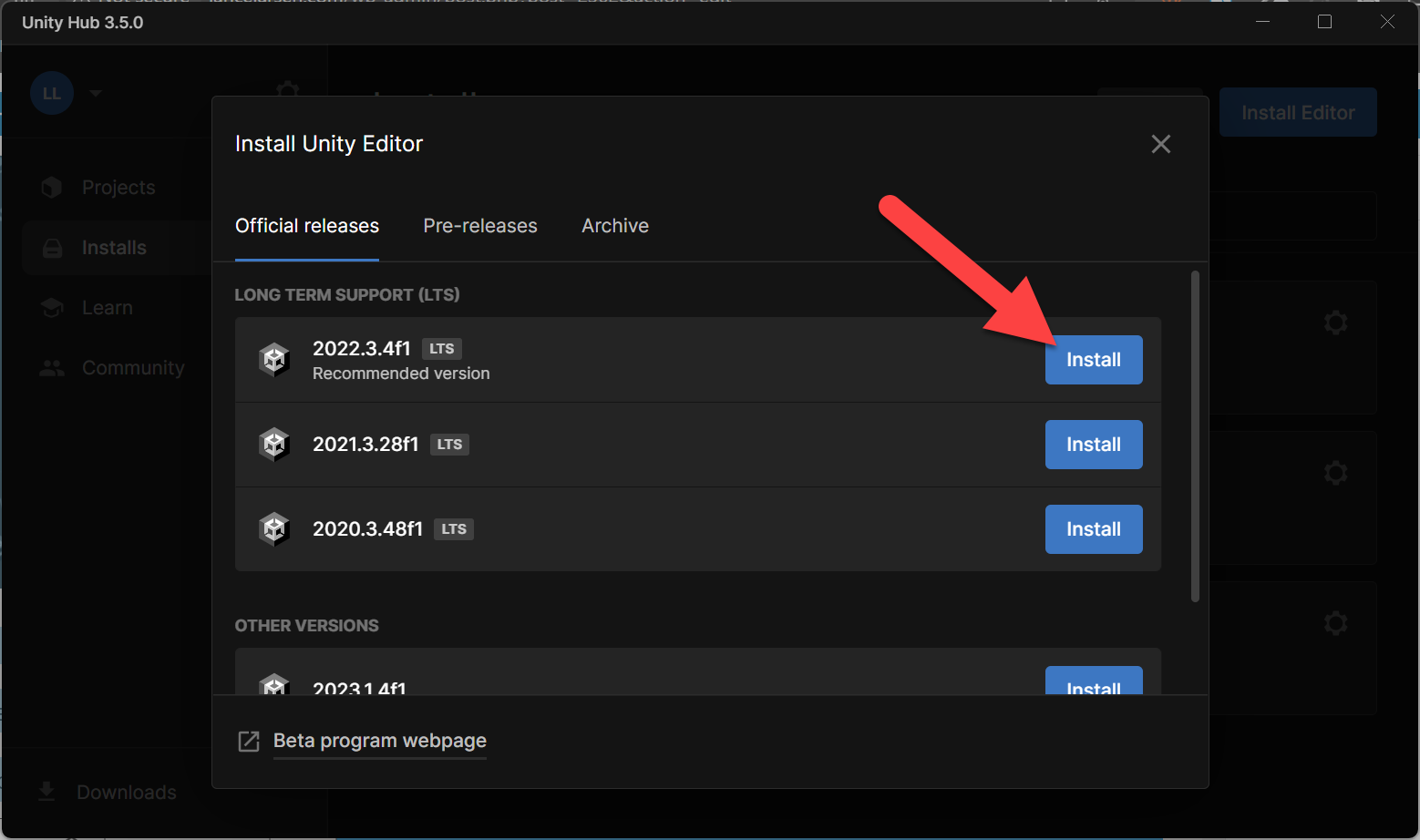
- Click Install on the latest version of 2022
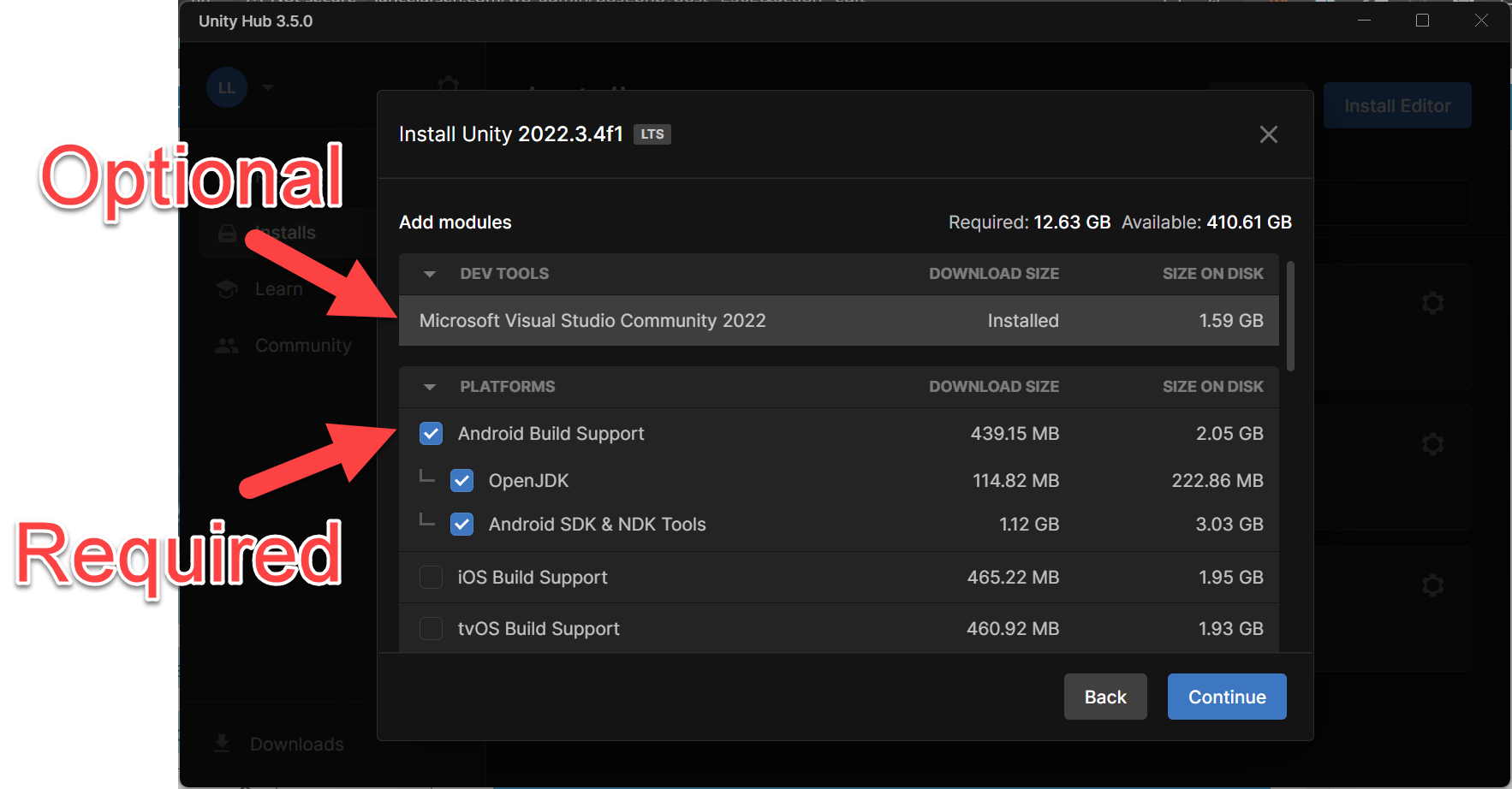
- Check the following checkboxes
- Note: If you don’t have Visual Studio installed, click that as well as we’ll need that for creating scripts – if you already have VS installed, Unity will automatically use the VS version you have.
- Click Continue
- Accept the EULA -> Click Install
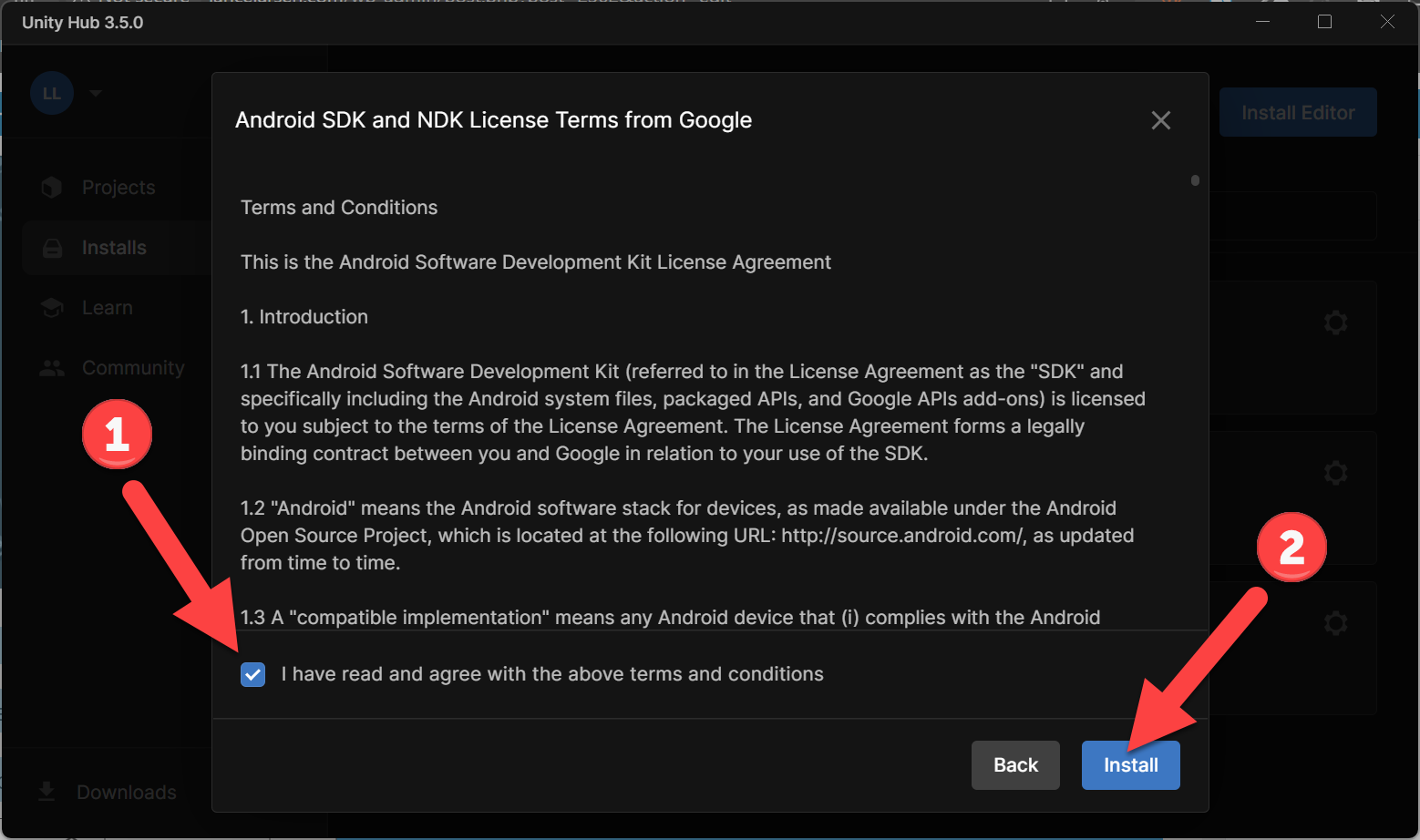
- This will take a while, go get some popcorn…
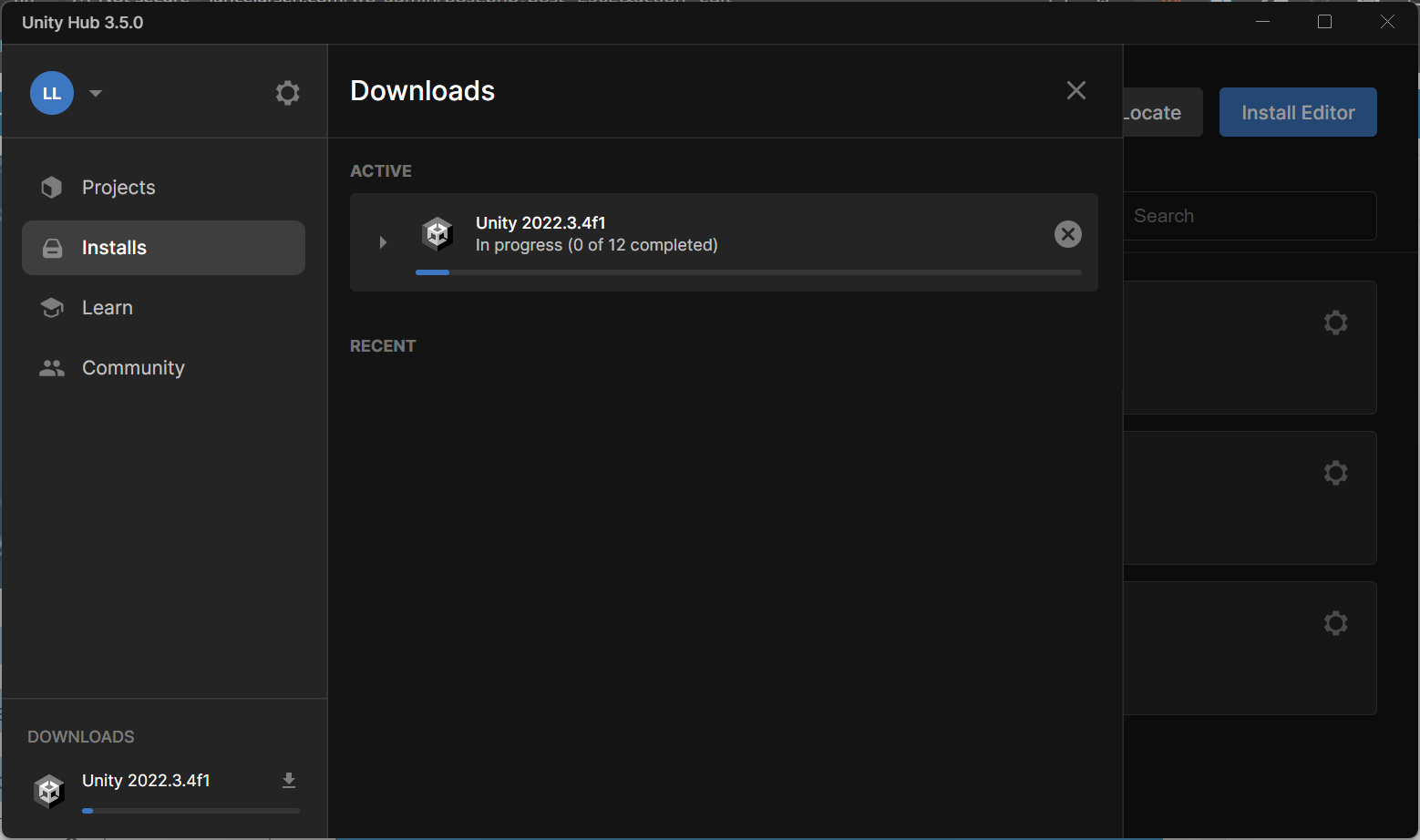
- Done! You now have the XR tools we need to start building some amazing experiences!
I always love feedback and suggestions for new XR / AI blog posts!
Go build something amazing in XR & AI! — Lance 🙂
Check out other blog articles in this (and other) series! Quick links to Lance’s latest XR Step-by-Step blog articles by device