XR Step-by-Step 2024! Meta Quest: Installing Meta XR Interaction Examples v66
Virtual Reality (VR), Augmented Reality (AR), Mixed Reality (MR) and now Spatial Computing all come together as XR or “Extended-Reality”. You’re in the right place at the right time to build something amazing in XR! In this blog post series…
Virtual Reality (VR), Augmented Reality (AR), Mixed Reality (MR) and now Spatial Computing all come together as XR or “Extended-Reality”.
You’re in the right place at the right time to build something amazing in XR!
In this blog post series we will focus on Meta Quest!
Check out other blog articles in this (and other) series!
Quick links to Lance’s latest XR Step-by-Step blog articles by device
In the latest release (v66) of Meta All-In-One SDK they’ve added / enhanced some very exciting sample experiences that we can use in our own XR experiences!
As of v66 they also moved how you get them into your project… but just since you’re here – I’ll show you where to find everything 🙂
Importing
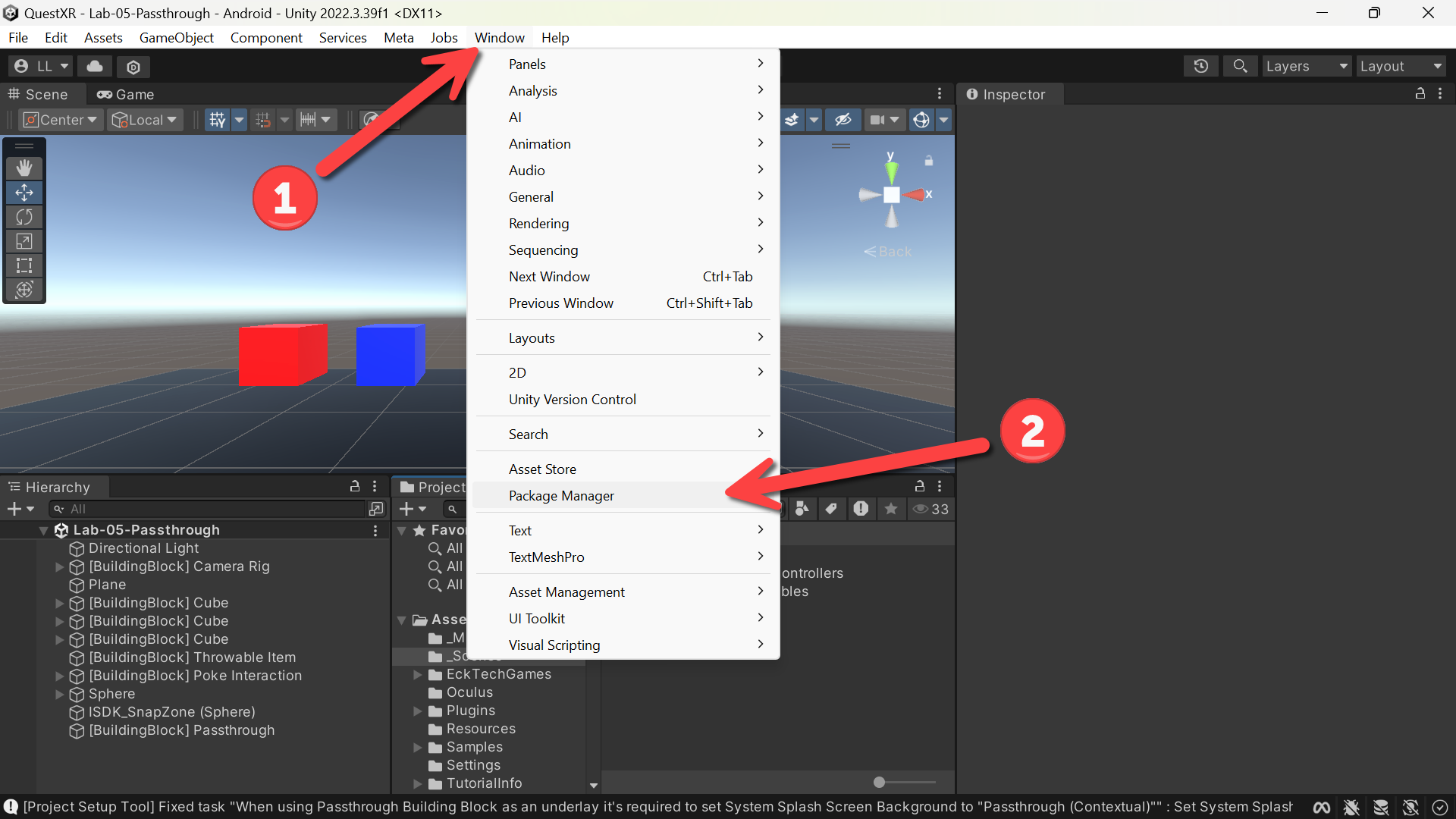
- (Toolbar) Click Window
- Click Package Manager
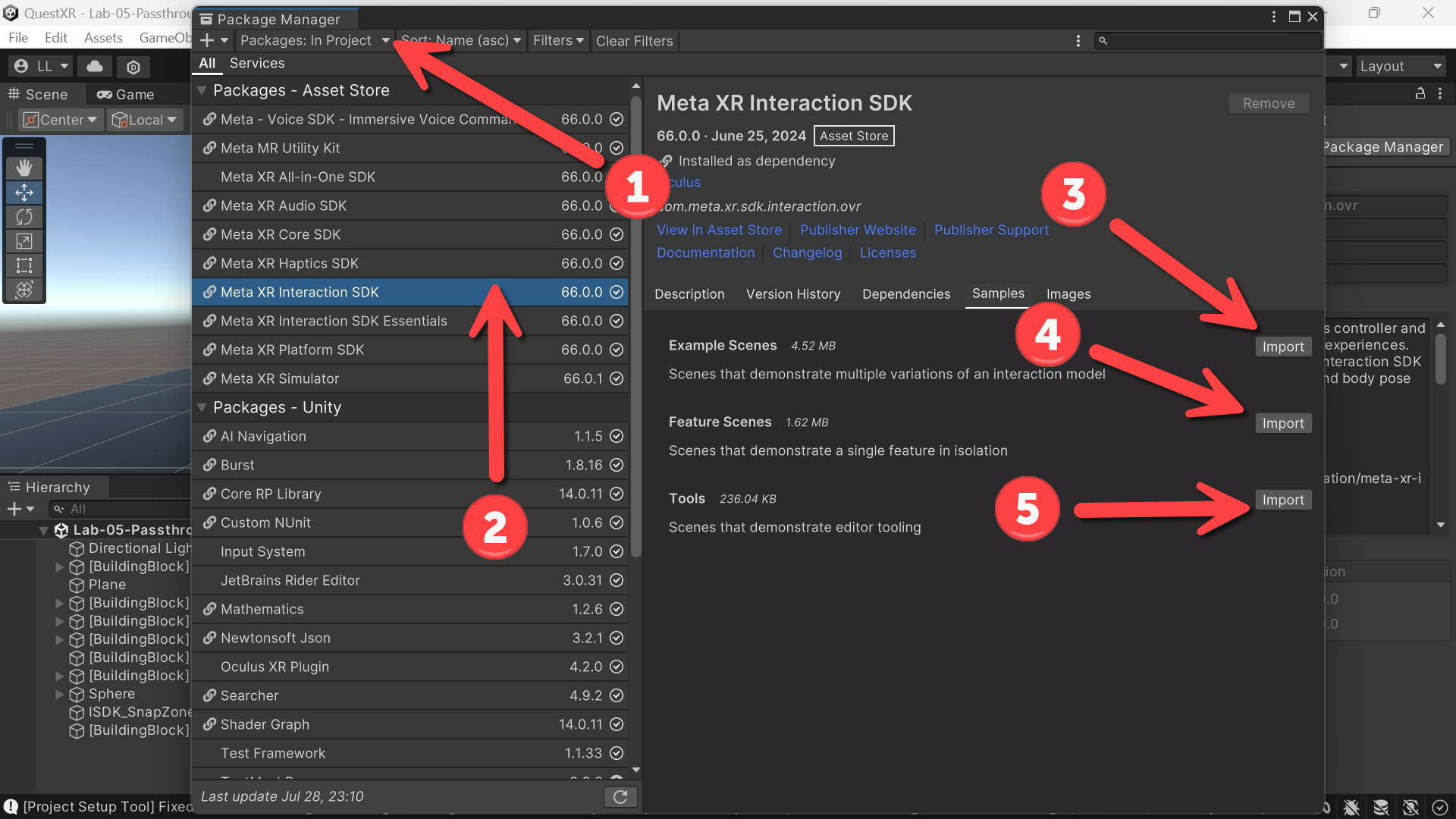
- (Package Manager) Make sure that Packages: In Project is selected in the dropdown
- Click Meta XR Interaction SDK
- Click Import for Example Scenes
- Click Import for Feature Scenes
- Click Import for Tools
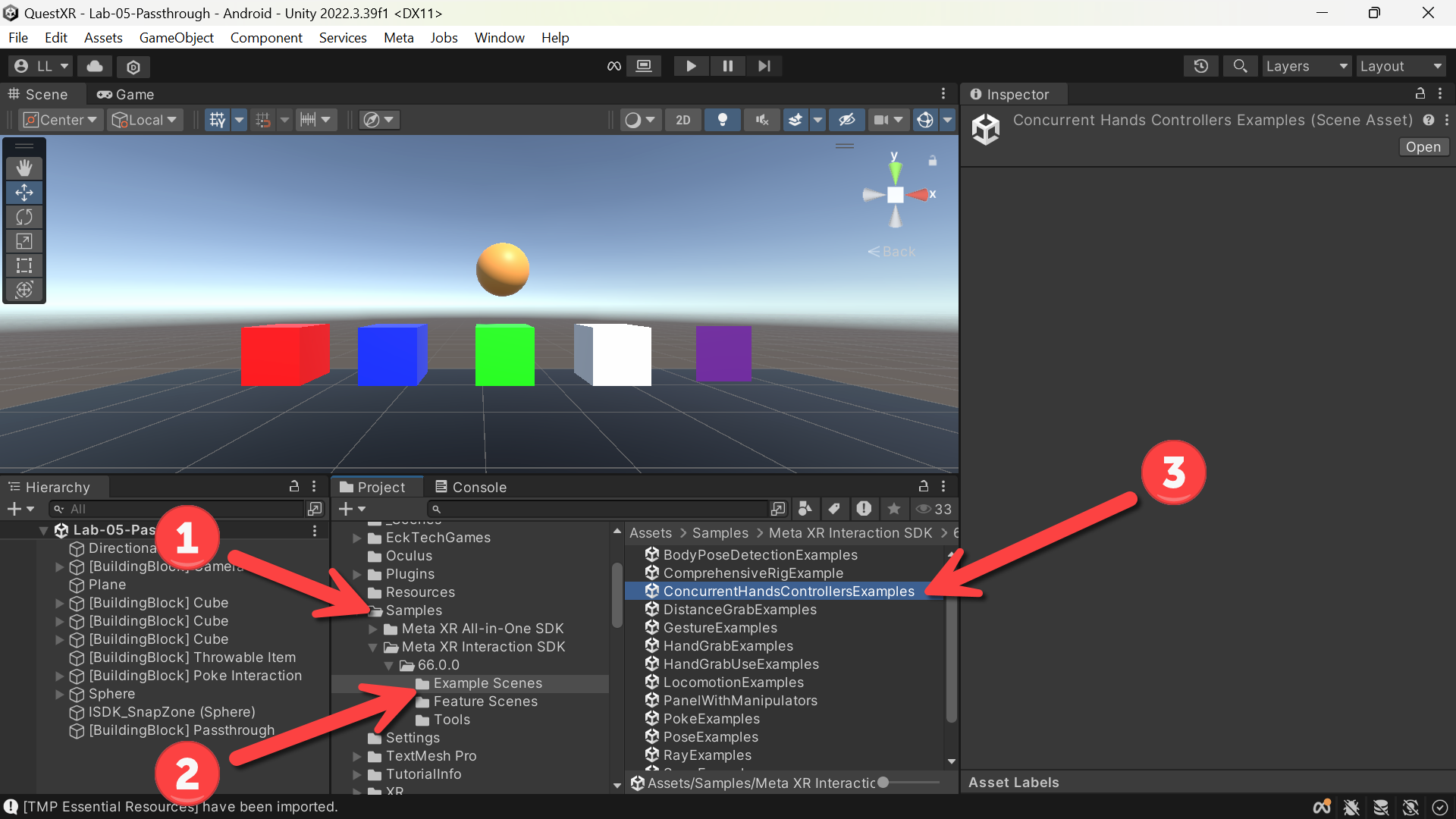
- (Project) The Samples folder has now been added!
- Navigate to the Example Scenes folder
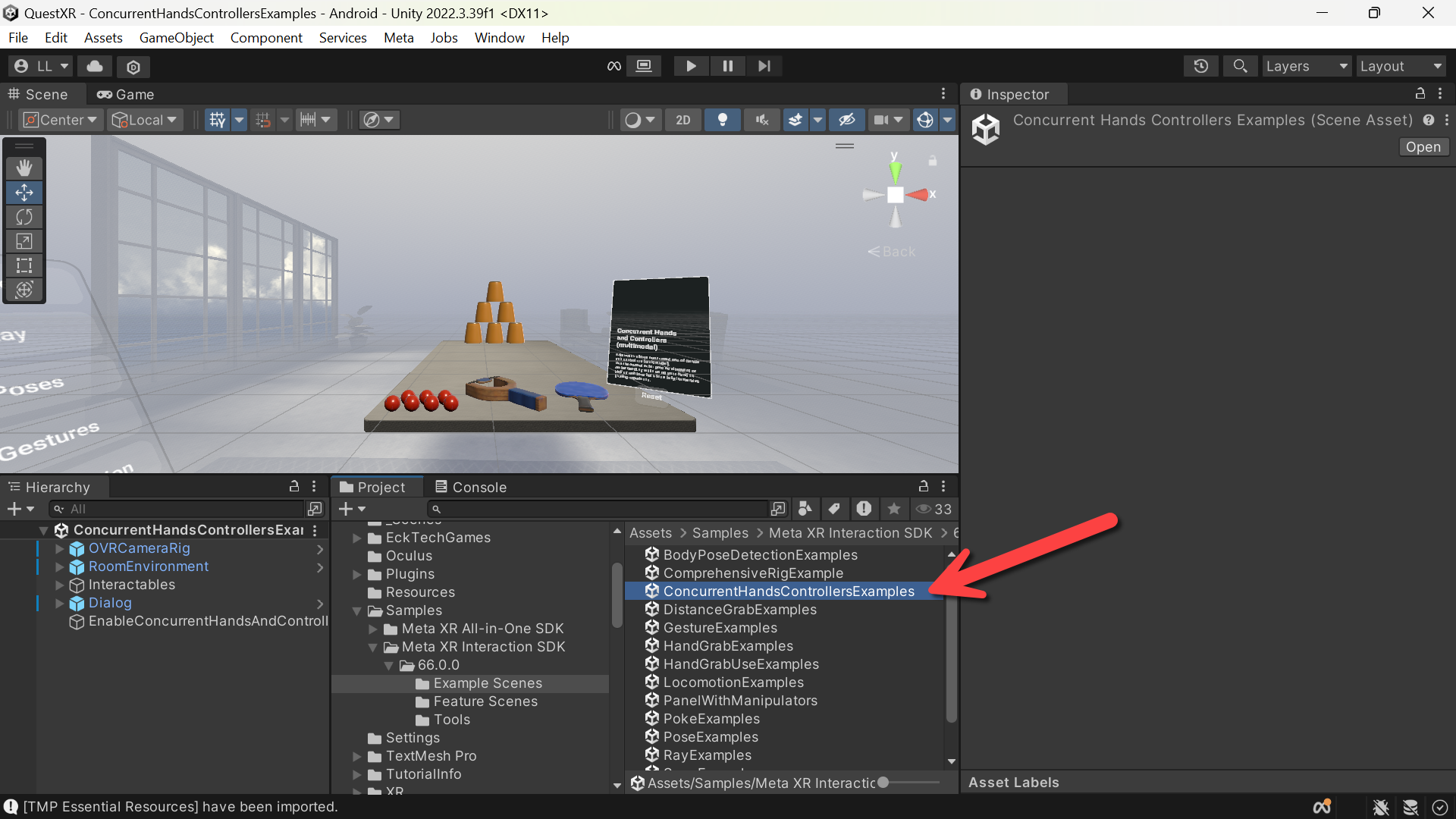
- Double-Click on ConcurentHandsControllersExamples
- (TMP Importer) -> Click Import TMP Essentials
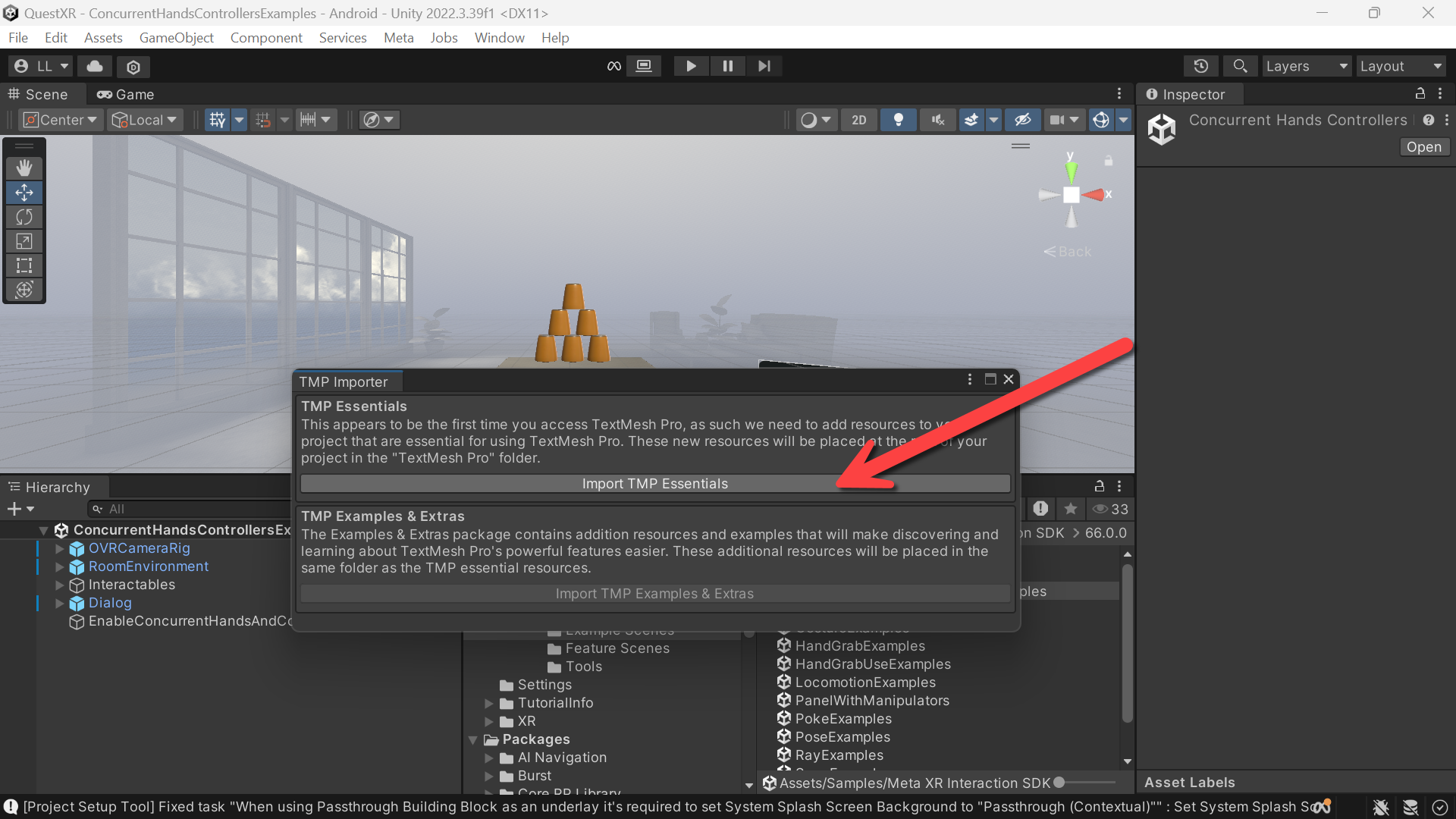
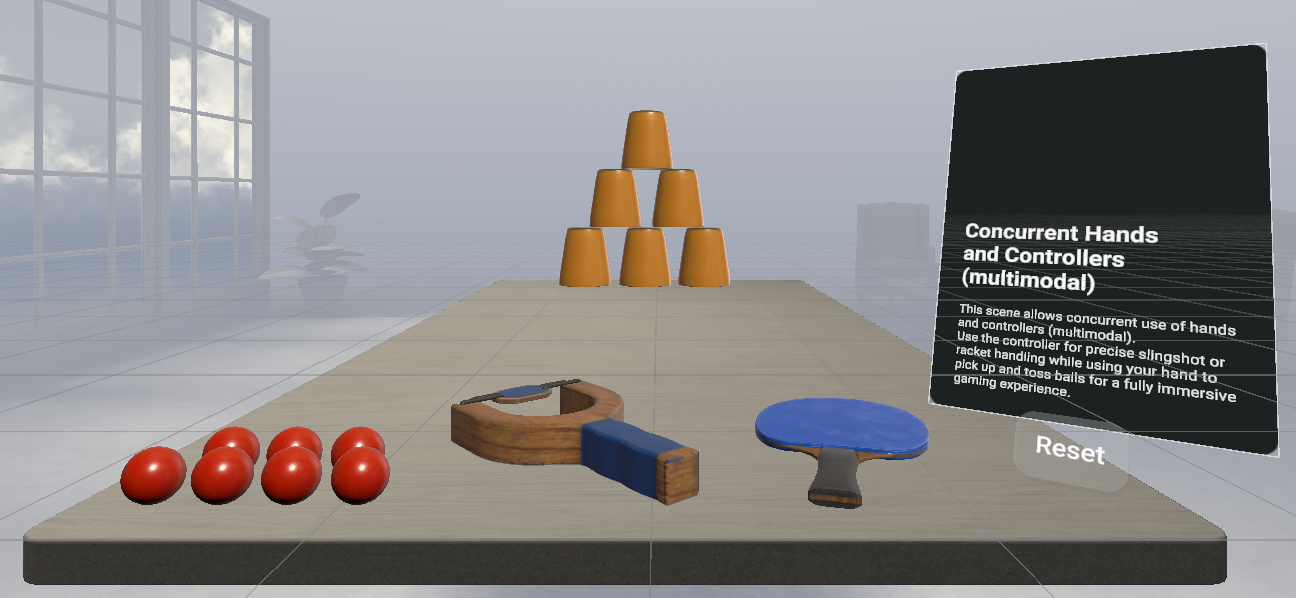
- This is a really fun example where you can see that having both hands and controller being tracked simultaneously can lead to some amazing XR experiences.
- Remember — don’t shoot your eye out!
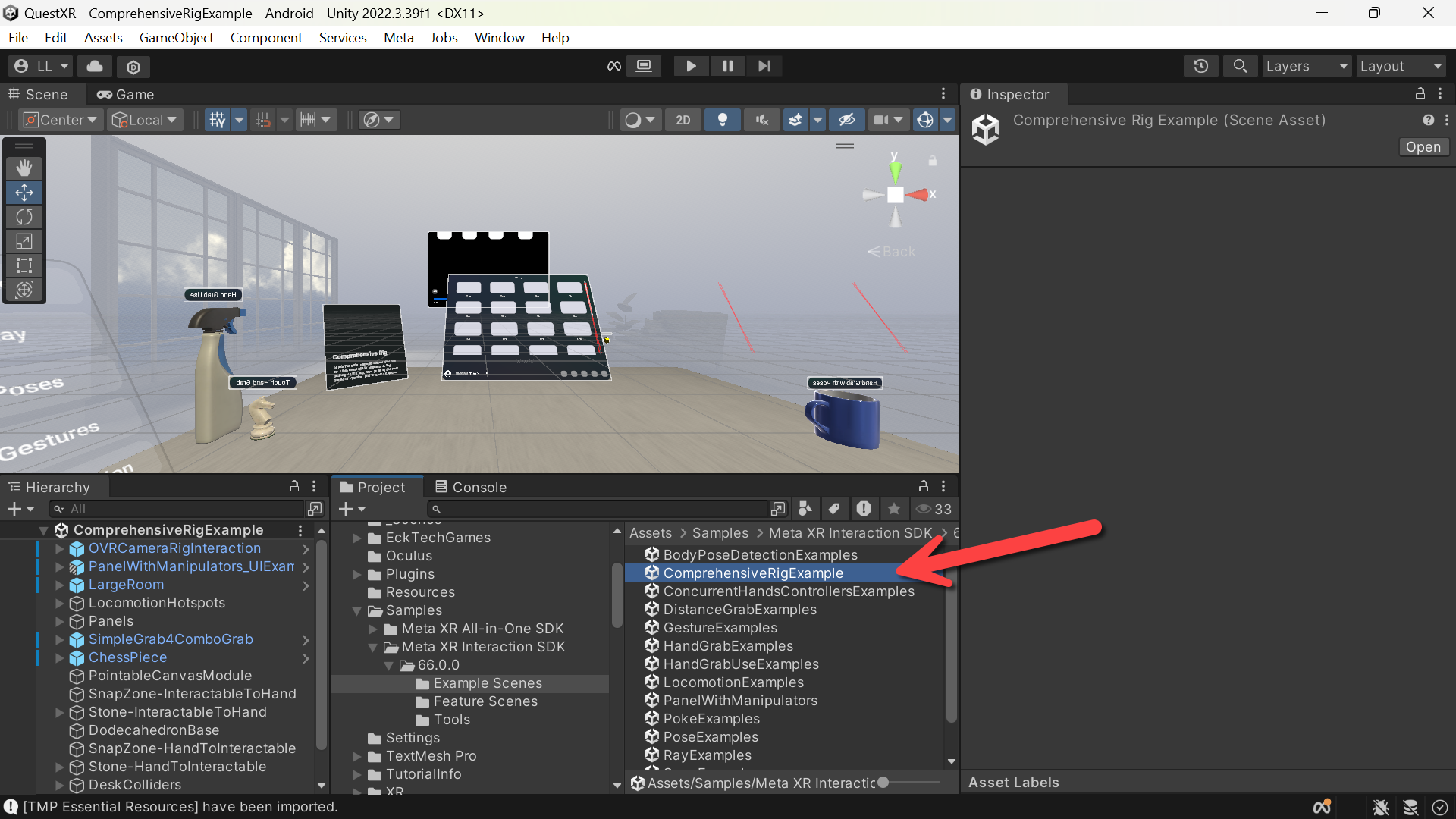
- Another must see scene is the ComperhensiveRigExample
- This brings a lot of features together in one scene!
- Highly recommend enjoying the other example scenes – you’ll learn a lot – and without a doubt be inspired to use many of these features in YOUR future XR experiences!
Run them and try!