XR Step-by-Step! Organizing your Unity Project
Virtual and Augmented Reality together are now referred to as XR or “Extended-Reality”. You’re in the right place at the right time to build something amazing in XR! XR applications can be created in Unity for many devices, our focus…
Virtual and Augmented Reality together are now referred to as XR or “Extended-Reality”. You’re in the right place at the right time to build something amazing in XR!
XR applications can be created in Unity for many devices, our focus will be on Microsoft Hololens and the Oculus Quest 2 – in this blog post series we will specifically focus on Oculus Quest 2 in the latest Unity 2022.
Unity has the tendency to add all of your imported packages under your assets and clutter up your organization pretty quick. There are a lot of opinions on how to organize this to make it easier to find your files, scripts, models, etc. Here is my approach.
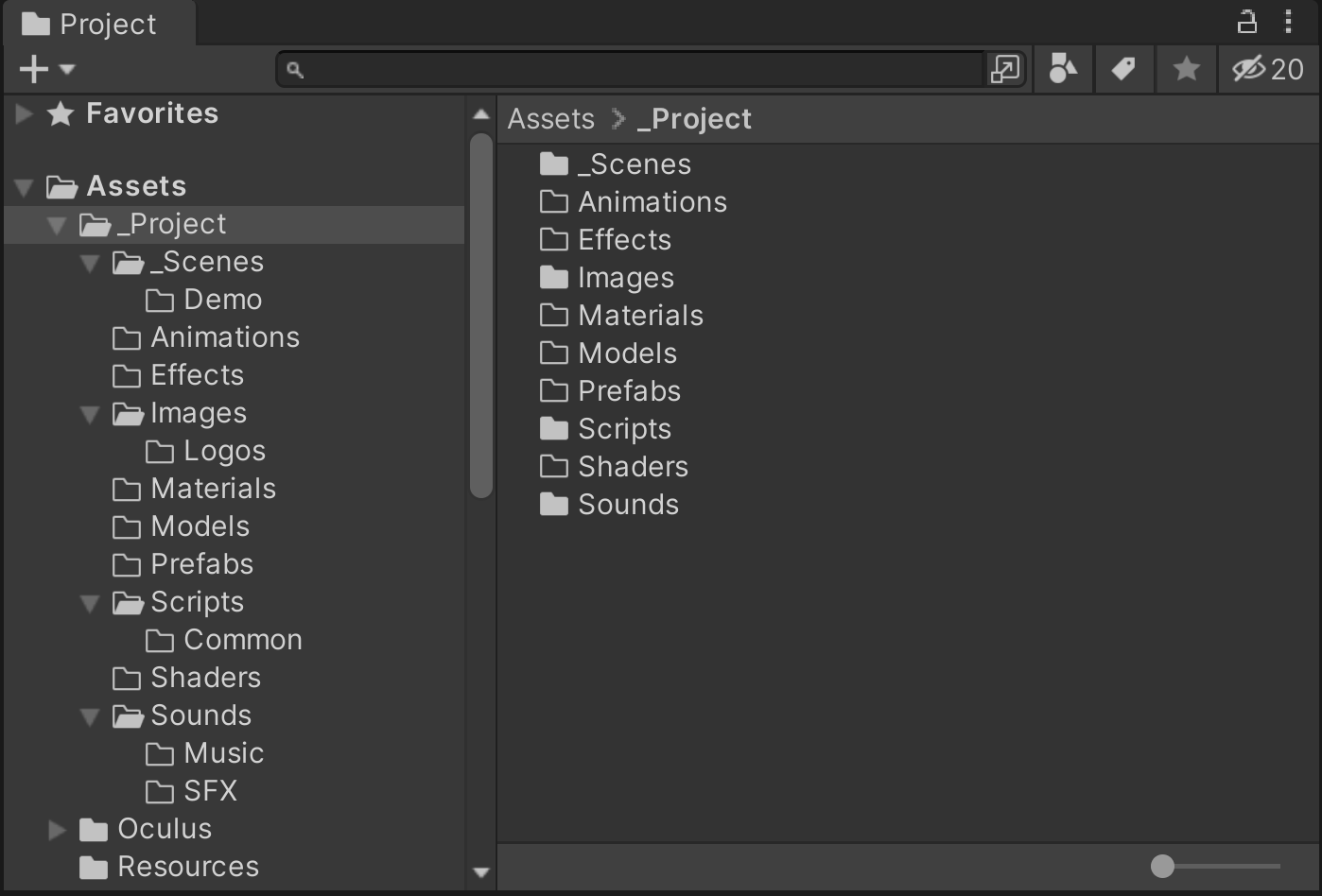
- Here’s how I organize my Project Folders
- _Project
- _Scenes (the underscores put them first in the folder list)
- Demo (demo or testing scenes)
- _Scripts
- Common (common / shared code between scripts)
- Animations
- Effects
- Images
- Logos (logos used in the application settings)
- Materials
- Models
- Prefabs
- Common (common / shared code between scripts)
- Shaders
- Sounds
- Music
- SFX
- _Scenes (the underscores put them first in the folder list)
- _Project
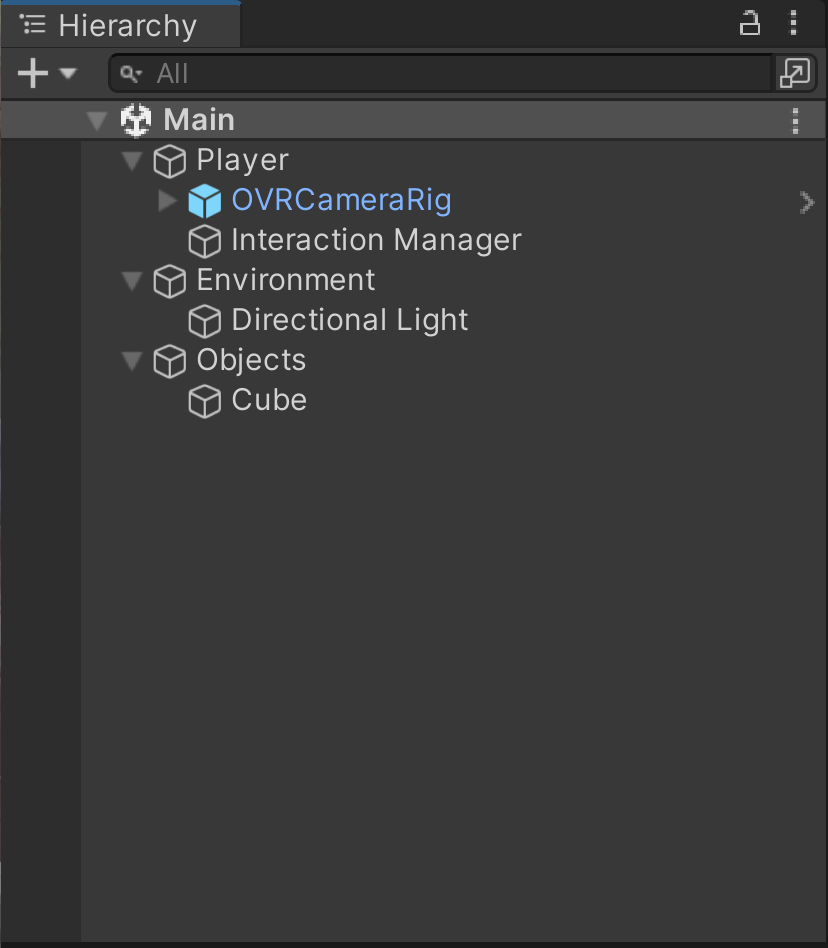
- Here’s how I organize my Hierarchy Window
- Player
- Camera
- Script Manager (this where I attach my top level scene scripts)
- Environment
- (this is where things like lighting live)
- Objects
- (this is where all the models, etc live)
- Player
How does everyone else organize their Unity Projects? Love to learn…
Here’s my XR Step-by-Step blog series to help you create your XR experiences!
Unity 2022
1) Installing the Tools you need for XR development == Unity 2022
2) Setting up your Oculus Quest XR project in Unity 2022!
3) Helpful Asset Packages & Libraries for Unity 2022
4) Organizing your Unity Projects
Unity 2021
1) Installing the Tools you need for XR development == Unity 2021
2) Setting up your Oculus Quest XR project in Unity 2021!
3) Setting up Mixed-Reality Passthrough for your Oculus Quest XR project in Unity 2021!
4) Keep your XR project safe with a GitHub Code Repo!
5) Setting up Touch Controller for your Oculus Quest XR project in Unity 2021!
6) Coding your Touch Controller for your Oculus Quest XR project in Unity 2021!